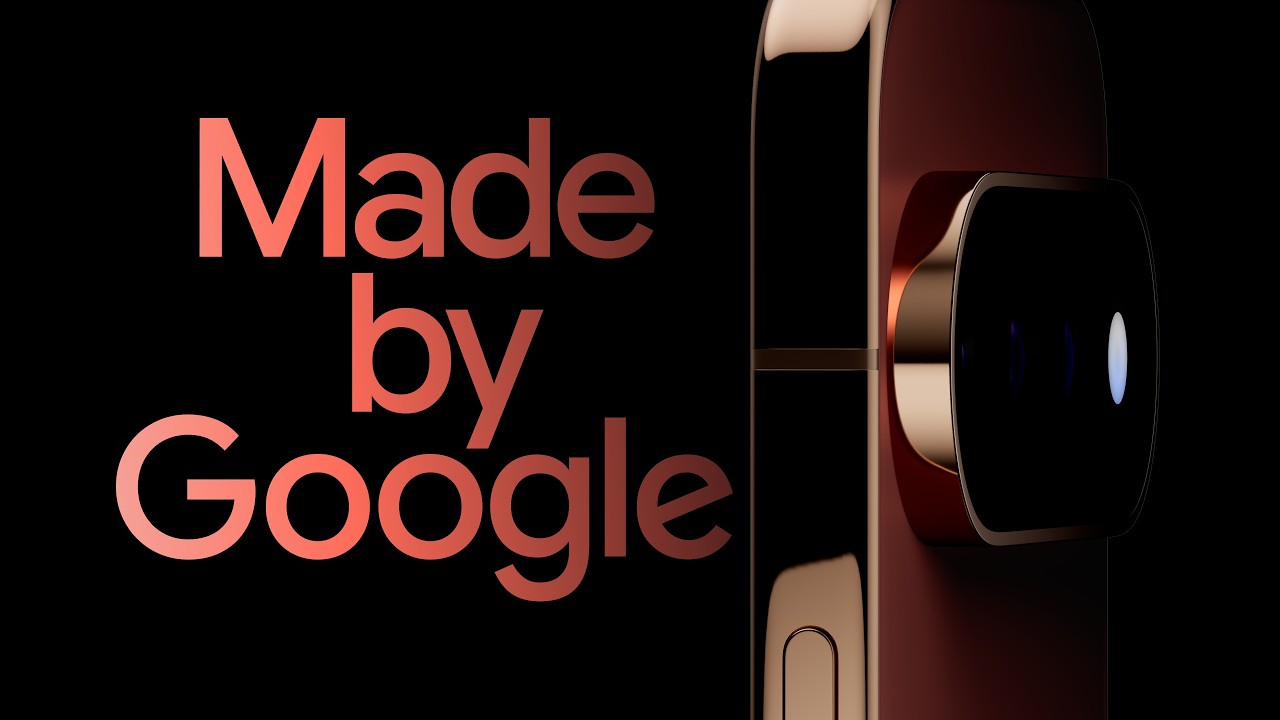
Made by Google 2026 Launch Live: Pixel 11, Pixel 11 Pro Fold, Pixel Watch 5, and everything that was announced
The Pixel 11 series is here: big on software upgrades, less on hardware upgrades.

You've been waiting all week, and now the Google Pixel 11 series is officially here!
As expected, the lineup includes the Google Pixel 11, Pixel 11 Pro, Pixel 11 Pro XL, and Pixel 11 Pro Fold, plus the Pixel Watch 5 and the surprise Pixel Tag.
- Hands-on with the Pixel 11, Pixel 11 Pro, and Pixel 11 Pro XL
- Hands-on with the Pixel 11 Pro Fold
- Hands-on with the Pixel Watch 5
But here's the kicker:
We got early hands-on time with the Pixel 11 devices, which were publicly revealed hours before the Made by Google keynote, which aired later in the evening.
In other words, we gave you a sneak peek at everything that Trevor Noah, Stephen Curry, Shubman Gill, Ayami Nakajo, and others have announced and demoed during today's event!
We hope you enjoyed the keynote, and you can scroll through our live blog to see the coolest new features you're going to love, from our short experiences with the Pixel 11 series to the reveals and demos from the Made by Google keynote (as well as our reactions).
When and what time is Made by Google?
The Made by Google keynote began Wednesday, August 12, at 3 p.m. PT / 6 p.m. EDT.
How to watch the Made by Google event?
Google streamed the event on its official Made by Google YouTube Channel. You could also watch it live on the Google Store website. Click the video below to watch the keynote and get all the highlights, or follow our live blog for our reactions from the event!

We know our readers are long-time Pixel fans, and because of that, I'm confident that you're going to love the Pixel 11 Pro. The Pro has been my favorite model of the lineup for the past two years, and that's undoubtedly going to continue with the Pixel 11 series, as well.
As with the Pixel 9 and 10 Pro, the Pixel 11 Pro packs all the same great power as the Pixel 11 Pro XL, just in a smaller package. Google remains one of the only companies making a proper Pro model at this size, all without cutting back on processing power, RAM, or camera capabilities.

Above, you can see the Pixel 9 Pro, Pixel 10 Pro, and Pixel 11 Pro. The 11 Pro is on the right, featuring a fuller camera bar with edge-to-edge glass on the back. Google is also leaning into the "glitz and glamor" of the Pixel design with bold new colors and a gorgeous gold/copper trim around the sides. Jade was my favorite colorway last year, and this year goes all-in on the aesthetic.
Aside from the glassier (is that a word?) camera bar, Google swapped out the temperature sensor and replaced it with HiLight, a new circular LED array that looks like an LED flash at first, but adds much more function than a simple flash can.
In the video above, we tested out the new HiLight feature by asking Gemini about the weather. Sure, it's a pretty boring prompt, but the idea here is to see how the HiLight LED swirls and changes color based on what Gemini is doing.
When it's idle, HiLight is a solid color. As you ask Gemini something, it'll start swirling around in a specific pattern, change that pattern as Gemini is processing the request, then have a totally different pattern as Gemini is speaking.

But that's not all HiLight is good for! HiLight can glow with different colors and patterns when you receive notifications, phone calls, messages, and more. Plus, it's fully customizable, so you can toy around with it to your heart's content. It reminds us an awful lot of the LEDs that Nothing puts on the back of its phones, and Google says the idea is to keep you off your screen more by giving you simple, glanceable updates when your phone is face-down.

HiLight is included in the camera bar on all Pro models. That includes:
- Google Pixel 11 Pro
- Google Pixel 11 Pro XL
- Google Pixel 11 Pro Fold
Despite having a similar-looking white LED module on the back, the base Google Pixel 11 (pictured above) only features an LED flash. HiLight is considered a "Pro feature" this year, so you'll have to make do without it if you opt for the less expensive Pixel 11.
Pixels are definitely premium-level devices, but Google rarely pushes the boundaries of processing power in a traditional way with them. Instead, the Tensor G6 inside all Pixel 11 family phones (yes, even the base Pixel 11) features a 50% faster TPU for local AI processing enhancements. While that could result in something boring like faster Gemini responses, Google is using it for some impressive software tricks, instead.
In the video above, you can watch Magic Capture in action. This new Pixel camera feature can be found by swiping up on the camera viewfinder. Once you hit start, Magic Capture will record what the camera sees, then use Tensor to select the best moments from that timeline.
Photos are automatically saved based on facial expressions, action and movement, and other key factors, all with HDR+ quality. That's going to elevate Pixel even further as the camera to have for parents and pet lovers!

This frame, in particular, is unbelievably impressive to me. As the gentleman was juggling, Gemini understood that we wanted pictures of what he was doing, not just when he was smiling. That gave us a perfect photo of the balls in the air mid-juggle, and I absolutely cannot wait to test this out in other scenarios when my Pixel 11 Pro arives!
The next ridiculously impressive feature is Live Video Translate, but it's not at all what you think. We already have ways of enabling closed captions and language translation through YouTube, but the Pixel 11 series can do all this in real-time.
In the example above, we start playing a video that has original Spanish audio. Pixel understands that English is the main language (something you select in setup) and will automatically translate the person's voice live as you're watching it. It feels like something straight out of the future, and it's possible thanks to Tensor G6's more powerful TPU.

Gemini on Pixel can now also create entire workout regimines for you with a simple prompt. Let's say you're like me and are having IT band pain. Just ask Gemini for a 20-minute workout to help relieve IT band pain and it'll come up with an entire workout set for you.
Impressively, this isn't just words or a list of stuff to do. It's an entirely interactive "app" with rep counts and health logging that can go straight to Google Health. It even includes generated videos of each workout, so you don't have to guess what you're doing!
Circle to Search is getting the upgrade everyone has been asking for: Circle to Search in Camera. This new camera mode goes beyond what using Circle to Search can already do by creating a dedicated camera mode, similar to how Google Lens has worked in the past. The big difference here is that you can circle what you're looking at rather than just point the camera and hope Gemini understands.

Tensor G6 plus the new camera hardware is also enabling Google to improve Night Sight to a point that we haven't yet seen. Night Sight is now instant, and Google measures this as 4.5x faster than previous Pixels. That's a wild number, and certainly an improvement we don't often see generation-over-generation!

Before we move on from cameras, let's look at the hardware upgrades for the Pixel 11 Pro and 11 Pro XL. Google has swapped out the main and telephoto sensors on the back with all-new ones. Here's the quick breakdown:
- Main: NEW 50MP 1/1.3" sensor with f/1.68 aperture
- Ultrawide: 48MP 1/2.51" sensor with f/1.7 aperture
- Telephoto: NEW 48MP 1/1.95" sensor with f/2.8 aperture
- Selfie: 42MP dual PD autofocus with f/2.2 aperture

Oh gosh, and how could I forget about the new and improved video capture? Google has been listening to feedback and worked really hard to improve video capture quality on this year's Pixels. That includes what Google says is the "best video quality ever on a Pixel," as well as a new Pro Stable video mode that we're hoping will rival what Samsung and Motorola have been doing for a while.
But the absolute coolest new video feature is the Creator Suite, which turns the Pixel 11 family into the only phone you're going to want to make videos on. As the name implies, Creator Suite has a full suite of capabilities for your next big social media posts, including the ability to organize videos into project folders, refine videos in a special storyboard mode, and even display your script in an on-screen teleprompter while recording the video! It's crazy awesome, and I can't wait to make videos on it.

The whole Pixel 11 family sports some truly fantastic colors, with pink, green, and blue as the sort of "hero colors" for the line. As with some previous models, the base Pixel 11 features the most vibrant colors, while the Pro line is a bit more muted. I'd say I guess pros are boring, but these colors are far from the usual bland white and black we typically see.
And the colors aren't the only thing that you'll love about the new build. Pixel 11 Pro and 11 Pro XL both ship with Gorilla Glass Victus 2, and Google says the displays are now 2x more scratch resistant than any Pixel before it.

And those gorgeous new colors shine super bright on the base Pixel 11, where Google clearly turned the color palette up to 11.

The base Pixel 11 sees the smallest number of upgrades this year, but that doesn't mean it's getting nothing. Google swapped out the main camera sensor on the back with a new 48MP sensor that pulls in 56% more light than the Pixel 10's sensor. Plus, Google improved the telephoto camera to hit 30x zoom now, thanks to Gemini's intelligent imaging algorithms.

And let's not forget about the Pixel 11 Pro Fold! This one uses a similar design language to the Pixel 9 and 10 Pro Folds, with a slightly elongated camera bar to fit HiLight in.

You can see the Pixel 10 Pro Fold and Pixel 11 Pro Fold above. The 11 Pro Fold has the prominent HiLight LED on the camera bar, plus more glass on the overall housing. Google improved the Pixel 11 Pro Fold's cameras with a new 48MP main sensor it says pulls in 56% more light (looks like it's the same sensor on the regular Pixel 11), plus a return of the 10.5MP ultrawide and 10.8MP 5x telephoto cameras on the back.

Maybe most importantly, the Pixel 11 Pro Fold is now 1mm thinner than the Pixel 10 Pro Fold, a difference you can clearly see in the picture above. Impressively, Google kept Pixelsnap inside all four models, including the way thinner 11 Pro Fold, so you can enjoy MagSafe accessories with or without a case.

And that new back isn't glass; it's a composite material that Google says is impossible to crack. Considering I just put a foldable phone through a mud bath and a dishwasher cycle, I'm absolutely going to be testing that claim to see if it's true.

All Pixel 11 models ship with Rambler, an upgraded Gemini-powered speech-to-text engine that allows you to simply talk to your phone instead of planning out a dialog. This includes removing parts of speech like "ums" and "uhs," as well as giving your text proper formatting based on anunciation. You can even back things up by saying "actually, nevermind" or something similar, which Gemini will understand as a mistake and correct what you previously said.

Alright, enough of the phones for now. Let's spend a little time with the Pixel Watch 5, shall we? If you love the look of the Pixel Watch, that's great, because there's zero visual difference between this year's Watch and last year's. Personally, I'm happy with that, given that Google's design language is completely different from every other smartwatch on the market.

Here are two of the Pixel Watch 5 colorways, gorgeous as ever. The new CPU inside is 20% faster and has 50% more RAM, so Google was able to pack in a bunch of new Gemini features that would otherwise be difficult on a smartwatch.

Google also upgraded the GPS accuracy and health monitoring tools on this year's watch. GPS tracking is said to be 2x more accurate than before, and Google claims it's better than the Apple Watch Ultra 3 and Garmin Fenix 8 Pro.
Pixel Watch 5 also features breathing emergency alerts, blood pressure trends, and insulin resistance trends for a more accurate health profile.

The new health trends are based on 30-day summaries, not real-time data. This means you can't quickly check your blood pressure or insulin resistance at the drop of a dime, but it does mean that Gemini works to process all that data captured over a full month and deliver summaries and actionable information that might be more important in the long run.

Google's upgraded At A Glance widget now surfaces even more information thanks to Gemini Intelligence Proactive Suggestions. This might be as simple as a floating reminder for an upcoming calendar event, the next turn for your Google Maps directions, or an important reminder you accidentally dismissed.
Watchfaces will never be the same again, thanks to Gemini. Now, you can ask Gemini to create entire watchfaces for you, and in 30 seconds or so, that custom watchface will pop on the beautiful OLED display. Check the video above for to see it in action during our hands on!

And it might have taken 84 years, but Google finally added a proper way to count reps and sets in your strength training workouts. One of my biggest pet-peeves with Wear OS over the years is that none of these watches ever included such a basic feature — you always had to find a 3rd party app on the Play Store for that. Now, that's FINALLY fixed, and Google's new workout builder feature goes hand-in-hand with the similar feature on the Pixel 11 to creat the ultimate at-home workout coach.

Lastly, is the Google Pixel Tag. Google didn't spend much time on this product, but it's an obvious extension of the Find Hub functionality built into Android. Pixel Tag weighs 11.8g and is IP67 rated, so it fits nicely on a keyring, bag, or anything you want to ensure can be tracked once lost.
Pixel Tag features UWB and Bluetooth support and functions up to 50 meters from the paired phone. The big miss here is that you have to purchase a separate keyring attachment to get the keyring hole, otherwise, Pixel Tag is just a little silver puck.

Pixel Tag is coming on November 11 and sells individually for $29. You can get a discount by buying four at a time, which will run $99. A replaceable CR2032 battery is inside and should last over a year at a time.

As with most electronics, the Pixel Watch 5 is getting a bit of a price increase. The base 41mm Bluetooth-only model starts at $399, while the 45mm model starts at $429. If you want one with LTE connectivity, you're looking at $499 and $529, respectively. There's even a Stephen Curry Edition Pixel Watch 5 coming alongside the crew, retailing for $579. All models launch on September 3.
Here's everything you need to know about the Pixel Watch 5!

The Pixel 11 series is also seeing a bit of a price increase, but in a roundabout way on some models. There's no longer a 128GB version of any model, so the cheapest units are simply not offered this year. That means the cheapest Pixel 11 you can buy is $899 for the 256GB base model. That's the same price as last year for 256GB of storage, but it's technically a price increase since there's no longer a $799 model.
Additionally, expect to pay at least $1,099 for a Pixel 11 Pro, $1,299 for a Pixel 11 Pro XL, and $1,899 for the Pixel 11 Pro Fold.
Here's everything you need to know about the Pixel 11, 11 Pro, and 11 Pro XL.
Separately, here's everything you need to know about the Pixel 11 Pro Fold!

While those prices are a bit hard to stomach, there's no reason to pay full retail price for any of Google's latest products. Folks looking to save some cash this year can check out the best Pixel 11 deals, including $100 gift cards, hundreds in trade-in offers, and even free options.
These Pixel 11 Pro Fold deals will get you up to $1,100 off at Verizon, a $350 gift card for unlocked models at Amazon and Best Buy, and even exclusive offers straight from Google.

And that's everything Google has to offer for 2026! The Pixel 11, Pixel 11 Pro, Pixel 11 Pro XL, and Pixel 11 Pro Fold and the Pixel Watch 5 are all available in the coming weeks. Pixel Tag doesn't ship til November, but it'll be great to see more competition in this space, especially since these trackers all work so well together.
I'm taking a lunch break for now, but stay tuned this afternoon as I will be doing deep-dives into all the new features Google announced until the star-studded show kicks off at 6 PM EDT.

Google says it has "been preparing for a post-quantum world since 2016," and the culmination for that work on our mobile devices is the Titan M3 security chip inside of each Pixel 11 phone. M3 is a brand new chip that pairs with Tensor G6 and adopts the Post-Quantum Cryptography standards put forth by the National Institute of Standards and Technology (NIST).
This sounds straight out of the plot of 007: First Light, and that's just part of what made that such an excellent game (and this such a great phone). Quantum computers have been around for many years now, but the size and expense have kept them in labs and big companies like Google. As Quantum computers advance, the fear of them completely breaking all laws of digital cryptography is becoming very real.
Google says the Pixel 11 is the first of its phones to meet these new standards, ushering in a new era of security for both Android and its users. If you're interested in a deep dive into all the new security parameters, Google has an excellent blog post here that will make you happy. For everyone else, know that Tensor G6 and Titan M3 work together with Android 17 to create an impressively secure environment to keep your data safe.

Google revealed the Gemini Intelligence platform at The Android Show 2026, and it talked about an operating system that no longer felt like a manual computer. Rather, Android is now being marketed as an "Intelligence System" for the release of Android 17, giving you proactive information before you even know you need it.
As we ran through the features in our hands on, we learned a bit more about what proactive assistance really means on these phones. During setup, you can enable the feature and select what you want it to use. By default, permissions include reading messages and analyzing screenshots. Additionally, Gemini can link together all your usual Google information sources like Gmail, Drive, Calendar, Maps, and more.
The idea is that you'll hear (or see) a notification appear, letting you know that you should leave 10 minutes before your scheduled appointment to avoid a traffic jam, or see relevant flight info appear on screen when calling your airline. It's a fascinating new way to think about what makes a smartphone "smart," and it's all designed to keep us off our phones more.

With the Pixel 11 family, Google's DeepMind division is launcing the Sign Language to Text (SL2T) engine in Gemini. SL2T enables deaf and hard of hearing users to utilize sign language instead of voice to interact with their phones. While this is likely somewhat limited in use for typing into a form (as seen in the image above), the real key is communication between people that might not otherwise understand each other.
The SL2T engine can be used during video calls and can be immensely helpful to someone who communicates best via sign language, as it'll translate their movements into text for the person on the other end of the call. Live the Live Video Translation feature, this is all done in realtime and is incredibly impressive, as it understands the basic skeletal structure of a person in a frame and can use that structure to understand sign language.
Google is rolling this out first with English language translation and is planning on rolling the feature out to multiple languages in the future. Google says this is a 100% free feature and does not intend to charge for it, which is an incredible accessibility service the company is providing.

If you're a camera bump hater, the Pixel 11 is going to be your favorite new phone going forward. Google reduced the camera island's depth by 40% thanks to a combination of new sensors and a revised design of the internal components, and it makes all the difference in the world for weight and balance.
Slap a case on the Pixel 11 and that island will almost completely disappear, leaving you with a nearly flat phone that still has superb cameras.

Thinborne has been making my favorite phone cases for years, and these work wonders on the super slippery builds of the Pixel 11 family. Thinborne makes cases for all four models, and this time around they even have additional colors available! We've seen this before with a few phones, but the red and blue versions of the company's aramid fiber cases look particularly fantastic.
I love these cases because they're super thin and minimalist, so it doesn't even feel like you have a case on the phone, yet the texture of the case adds substantial grip to the annoying glass-and-metal designs of most modern phones (like the Pixel 11 series).
But these aren't perfect for everyone since they're mostly designed to add grip and scratch resistance (plus style). If you're someone who drops your phone constantly, we've got a guide to the best Pixel 11 cases that'll give you more options.


Before we head into the Made By Google show in an hour, let me make some color recommendations for these phones. If you're choosing the base Pixel 11 this year, you really can't go wrong with any of the colors. That pink is extra vibrant, while the green and blue colorways offer some nice pop without feeling too extra.
If you're looking to grab the Pixel 11 Pro or Pixel 11 Pro XL, the Canyon colorway is the snazziest (that's the reddish-looking one). The gold frame makes it pop so much better than the other colors!
And if you're picking the Pixel 11 Pro Fold, Green is the go-to color this year. The black is fine (and matte!), but I prefer more colorful phones and the details get lost in the black colorway, anyway.

Google managed to make the Pixel 11 Pro Fold ever-so-slightly thinner than its predecessor, but not in the way you think. We hoped Google would adopt silicon-carbon batteries like Samsung did with the Galaxy Z Fold 8 series, but instead, the Pixel 11 Pro Fold has an interesting design quirk.
The two halves of the foldable are different thicknesses, with the external display section being a bit thicker than the section housing the cameras and Qi2 magnets. It's an interesting approach and one that Android Central's Nick Sutrich couldn't help pointing out to us when he got his unit, jokingly calling it "cursed."
Does this bother you, though, if it means the Pixel 11 Pro Fold is thinner than the Pixel 10 Pro Fold?

If the difference in thickness between the two sides of the Google Pixel 11 Pro Fold bothers you, there may be a solution. Nick says adding a case to the back of the Fold should help, but you'll want a very thin yet durable one to make it work.
Fortunately, Thinborne makes some of the best thin and durable cases, made with aramid fiber, and Nick is already loving the Thinborne case for the Pixel 11 Pro Fold. And since foldable cases usually come in two parts — one for the front and one for the back — you can always omit the front plate and throw on a Pixel 11 Pro Fold screen protector.
Plus, you still get to enjoy the benefits of Qi2 magnetic charging while making sure your $1,900 investment is protected.
The Pixel 11 cat is fully out of the bag, but the launch event is still set for 3 p.m. PT / 6 p.m. ET, and we'll be covering it as it happens! If you don't know where to watch the Made by Google launch event, don't worry. Just click the video below, and you'll be good to go!

The Made by Google keynote has begun, and host Trevor Noah has taken the stage to introduce the new devices and tease a new "feature" called Search Roulette, where your phone will pick something from your search history to share with your contacts. He's joking, of course, but imagine...

Trevor is sitting down with Google's Rick Osterloh to talk about where tech is going and how it's helping us in our lives. Osterloh is talking about how Gemini helps make things easier for consumers and what we can expect from Gemini Intelligence in the Pixel 11. They both seem really excited, and frankly, we are too!

Google's Isabelle Olsson is walking us through the design of the Pixel 11 series, such as how they pick colors every year. According to Olsson, they don't pick the colors; they "create" the colors by looking at trends, fashion, and even nature to inspire phone colors. Although Noah jokingly notes that Google "didn't create black," which... oop!
Frankly, we think these devices are quite beautiful, and we love the Pixel 11 colors like Pistachio and Hibiscus! What's your favorite color?
Olsson is trying to hard to stay professional, and Noah is doing everything he can to break that. It's both amusing and cringy 😂 This Made by Google keynote is so unhinged and honestly we're here for it!

Edward Shi just hit the stage to announce the opening of the newest Google Store in Japan, which opens today! He's also talking about Pixel cameras, including better low-light shots, better portraits, and the new 120x zoom on the Pixel 11 Pro, which lets you get surprisingly clear photos from very far away. Just don't be weird about it...

Toni Urban is talking about the new HiLight feature and brought Korean DJ Peggy Gou to the stage to show off how it works. When Gou called Urban, the HiLight turned light blue. You can assign colors to different contacts or notifications, so you have an idea of who is trying to contact you. And Urban teased that more capabilities are coming later.

We got a cool demo of the new Magic Capture feature on Pixel 11, which automatically creates high-quality images while you're taking a video, so you can just focus on the moment. It captured some pretty good shots of JuJu Watkins and Jesser while they were playing basketball, and it's honestly a pretty cool feature that I can see myself using all the time.

Gemini is getting smarter and helping you in more places. We saw how it can help you check your schedule and look up a location when someone makes a suggestion, making things super seamless so you're not bouncing between apps. We also got a demo of Rambler, with Noah rambling on in a text and Gemini picking up exactly what he was trying to say while accurately handling corrections and changes.

As someone who has been wanting to learn ASL, Google's new sign-to-text translation is probably the coolest accessibility feature I've seen in a long time! Seeing Daniel Durant sign to the Pixel and the Pixel perfectly pick up what he's saying is truly incredible. Plus, more sign languages will be supported later! Now, time to go practice my ASL...


The Pixel Watch 5 is trying to take a page out of Garmin's handbook by bringing more comprehensive workout features, where you can easily log reps and weights. That's in addition to the new health features like Blood Pressure trends and Insulin Resistance! These are some of the best updates to the Pixel Watch 5, and we can't wait to try them!
That's a wrap on Made by Google 2026, which ended on a performance from Pink Pantheress! The whole show was equal parts fun, cringe, and interesting. I thought it was great to see live demos of the new Pixel 11 features, and it was a great way to spotlight just how your Pixel can help make your life just a little bit easier.
That said, I'm not sure how I feel about Trevor Noah's antics. Maybe next year, we can get Jimmy Fallon back or... hear me out... bring back Keke Palmer to host the entire show!
