
If you've researched anything about Android on the internet, you've probably seen and read about "rooting" it. There was a time when many of the Android phones available didn't live up to their potential, and root was the answer. Horrible software was the norm, applications that you would never use ran amok and wasted data and battery life, and the experience was bad all around.
Because every Android phone is running the Linux kernel and middleware very similar to a Linux distribution you would install on a computer under the hood, rooting them was the way to allow us to try and fix them our own way. Rooting is how you get complete access to everything in the operating system, and those permissions allow you to change it all. Modern Androids are quite a bit better than they used to be. Even the most inexpensive phone or tablet you can buy in 2019 will do more and perform better than the best Android phone available just a few years ago. But many of us still want to root our phones and are looking for more information.
What exactly is root?

When you root your Android, you're simply adding a standard Linux function that was removed.
Root, at least the way we're talking about it here, is the superuser. Your Android phone uses Linux permissions and file-system ownership. You are a user when you sign in, and you are allowed to do certain things based on your user permissions. Apps you install are also given a type of user ID, and they all have permissions to do certain things — you see those when you install them on older versions of Android, or you are prompted to allow them on Marshmallow or higher — in certain folders with certain files. Root is also a user. The difference is the root user (superuser) has permission to do anything to any file anywhere in the system. This includes things we want to do, like uninstall application forced on us, or things we don't want to do that can put your Android in an unusable state. When you're doing things with superuser permissions, you have the power to do anything.

When you root your Android, you're simply adding a standard Linux function that was removed. A small file called su is placed in the system and given permissions so that another user can run it. It stands for Switch User, and if you run the file without any other parameters, it switches your credentials and permissions from a normal user to that of the superuser. You are then in complete control and can add anything, remove anything, and access functions on your phone or tablet that you couldn't reach before. This is pretty important and something you should think about before you begin.
System root vs. Systemless root

Everything described above is how Linux-based systems normally work, and how Android worked before version 4.3.
Since the release of Android 4.3, the process that handles requests for root access has to run as soon as you turn on your phone. This daemon (that's what these sorts of processes are called) also needs special permissions so it can work as intended. To make both of these things happen, files in the phone's system folder had to be modified.
When Android 5.0 was released things changed and the boot image — software that does exactly what you think it does: boot up Android on your phone — need to be modified so that the su daemon was launched. Since this doesn't modify the system partition, it was called a systemless root.
Systemless root is what you'll have unless you can build Android for your phone and install it.
Work on systemless root was quickly halted when a way to root phones running Android 5 by editing the system files was found, but Google patched the method with Android 6, and systemless root was once again required.
It's good that Google patches things to keep our phones more secure because most people don't care about rooting phones and need these protections. In this case, it was also good for the rooting community at large because a systemless root is better in a lot of ways.
It's easier when you want to update to a newer version of Android, it's easier to remove if you change your mind, and what most users like about it is that a systemless root can be "hidden" so that certain apps and behaviors won't know your phone is rooted and function normally. Yes, this means that things like Google's SafetyNet, your bank's app, or even a game that doesn't allow rooted devices can work normally in many cases.
Unless you have a very old phone or just want to practice building Android yourself on a Pixel or other open hardware platform supported by Google, you'll probably be using a systemless root method.
Should I root my Android phone?

Yes. No. Maybe? All three answers are perfectly valid. People have different reasons for wanting to root their devices. Some do it just because they can — they paid for the hardware and think they should be able to do anything they like. Others want to be able to add things that aren't there, like internet servers, or be able to "fix" services that are there but don't work the way they would like them to work. People might buy a phone because they like the hardware but hate the software and want to change it. Mostly, people root their phones because they simply want to get rid of the extra things on it that they don't want. All of these reasons — as well as any reason you might have that aren't mentioned here — are the right reasons.
Most people want root to get rid of the bloat.
Before you do any preparation to root your phone, you need to remember that it changes everything about the inherent security from Google and the company that built it. Plenty of us don't like it, but being able to access an account with admin permissions was not included in release versions of Android on purpose. As soon as you add this capability, you are responsible for the security and integrity of the operating system and every application on it. For some, this is more responsibility than they want or need.
Rooting isn't the answer for everyone. If you're not sure about the ways you can break things by doing them as root, you should learn more about it before you start. It's OK to not know things and to try and learn, but not knowing and doing them anyway can turn a very expensive Android into a paperweight. You also need to know that for many Android models, rooting means your warranty is null and void. Services (including apps as well as network access from your carrier) can be denied to you because of the security risk when you're rooted. The risk is real because so many users go into it all blind and let security lapse. Not doing that is your responsibility — take it seriously!
Rooting your phone puts you in charge when it comes to privacy and security. That's good and bad.
Finally, there are plenty of users who simply don't care about this stuff. Any Android phone, no matter how restricted root access is, can do just about everything we want or need from a pocket computer. You can change the appearance, choose from over a million apps in Google Play and have complete access to the internet and most any services that live there. You can even make phone calls. It's great if you're happy with what you have and what it can do and aren't worried about trying to fix what isn't (in your eyes) broken.
Getting ready to root

Depending on which method you use, you'll need to do a few things to prepare your phone for rooting. Many ways require you to install the Android SDK or unlock your bootloader. This sounds like a lot of scary work, but it's not difficult, and knowing how to use these tools will help if things go wrong. The Android SDK is huge, and if you're just rooting your phone, you don't want to waste bandwidth or file space on it. XDA user shimp208 built Minimal ADB and Fastboot, a Windows tool that only contains the ADB and Fastboot components needed for rooting.
Here is our comprehensive walkthrough of how to set up and install the Android SDK
Depending on which phone you have, unlocking the bootloader is slightly different. The "standard" way is by using the OEM unlock command. If you're using an older Motorola, Sony, or LG phone, you might need to get an "official" cryptographic token to unlock your bootloader for some devices. You'll find how to do that and who to get it from at each vendor's developer pages. Remember that unlocking the bootloader on your Android may affect the warranty status.
How to root your Android phone
How you root your Android is going to depend on which one you have. There are over 12,000 different Android models (and that's only counting ones that can access Google Play) from hundreds of different manufacturers. Almost all of them have been designed so that they are hard to root. That's because if it is easy for you to root your phone when you want extra access, it may also be easy for someone else to root your phone and get the same access — which means they would have all of your important private data.
There are models specifically hardened to prevent unauthorized access (that means rooting, too) as well as devices that were designed to be safely and easily unlocked for full developer access like the Google Pixel. Most phones fall somewhere in between, and when carriers get involved they have control over the process, too.
With over 12,000 different models, we can't cover every single method to root every single device. We can point you in the right direction and help you get there, though.
Rooting your Samsung phone
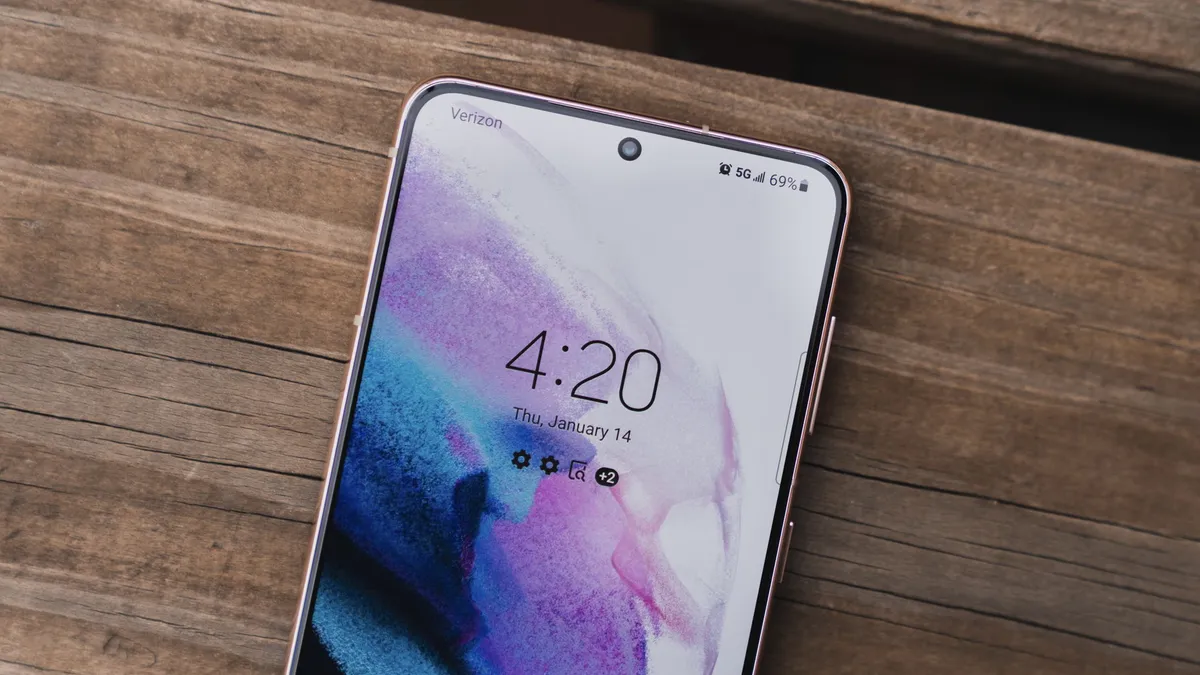
Samsung used to offer "developer editions" of their popular models, but weak sales (they usually needed to be paid for in full with no type of subsidy or financing) they seem to have stopped production. We have only ourselves to blame — it's just not worth making something that nobody is buying.
Samsung also makes very lucrative deals with carriers, and most of the time those carriers want to prevent you from rooting your phone. Recent models from AT&T or Verizon are notoriously difficult to exploit, and all the U.S. versions of the Galaxy S9 are locked up and encrypted. There might not ever be a way to root them. This isn't true for unlocked models sold outside of North America though.
Knox can pose special problems when trying to root.
To root most Samsung phones, you'll need to use a program called Odin. It's a low-level firmware flashing tool that can push image files to the storage and overwrite existing images. You'll also need the correct USB drivers for Windows computers. If you're using a Mac computer or running Linux, the software that flashes images is called Heimdall. They both work essentially the same and carry the same risks — if you try and flash the wrong image or a bad image, your phone isn't going to be able to start. While this is often recoverable, know that there is always a chance you can ruin your phone or tablet, and your warranty is voided as soon as you begin.
Also, many Samsung phones ship with Knox security enabled. Knox is part of Samsung's special "Samsung Approved For Enterprise" feature, where personal and work environments can be separated in a way that allows both to coexist on the same device. Knox can pose special problems when trying to root a phone that uses it, and it has a software counter that can show when device firmware has been tampered with. This means it's very easy for Samsung to void your warranty if you start fiddling with things.
For more information about rooting Samsung phones, the best advice we have is to check the XDA Forums for your particular model.
XDA Forums are a group of people, including some from the mobile industry, who are dedicated to the good sort of hacking of mobile devices. It's one of the best places on the internet to learn about things like rooting your phone, and it's the first place I check when I have any questions, too!
Rooting your OnePlus phone

OnePlus has always been one of the more developer-friendly manufacturers, and many of the company's phones can be rooted exactly the same way a Pixel phone can be — by unlocking the bootloader through the standard Android commands and transferring the correct files to the phone itself.
While carrier influence may make the process more convoluted, you'll find a full tutorial for unlocking and rooting your OnePlus phone at XDA Developers.
Rooting your Motorola phone

Motorola also offers some models a liberal bootloader unlocking policy, so using the standard bootloader unlock commands should get you started. This is the first step toward flashing any other system image to your phone.
If your Motorola phone isn't covered under their bootloader unlocking policy you might have to resort to exploits or use commercial rooting apps. The best places to try are MOFOROOT or the relevant section at XDA Forums.
Rooting your Pixel phone

To root your Pixel phone, you should start with learning how to install and configure the Android SDK. There are plenty of one-click scripts or toolboxes that will unlock your bootloader and get you ready to flash (or even flash it for you) a custom recovery. Still, there's a great reason to learn how to do it yourself — you are able to fix most anything if it goes wrong by using the Factory Images.
Google not only supports unlocking your bootloader, but they also give you full and complete instructions on how to do it, how to flash third-party images and how to go back. Unlocking the bootloader doesn't break any warranties as Google realizes that there are many valid reasons to flash experimental on the developer/reference device for Android. Take advantage of this, and use the tools Google provides!
Once a third-party recovery image is flashed, you're easily able to transfer the files you need to root to your phone. We highly recommend a Pixel phone to anyone who wants to tinker with the Android software platform.
Other phones
As mentioned previously, there are over 12,000 current Android models from hundreds of manufacturers. There's no way to include each and every one on a single page.
Some of these phones come with a method (either approved by the manufacturer or found by a third-party) to unlock the bootloader and use the custom recovery method to root them. Many of these other phones can be rooted with applications you run on a computer or the phone itself. Look at specific forums for your device if you want to explore this.
Commercial root apps work but check out the pros and cons before you use them.
Apps like these work because they take advantage of an exploit (a bug or glitch) in the software. This means that many security applications will identify them as a virus and that software updates can (and do) break compatibility with them. Not every phone can be rooted through an app that leverages an exploit, but many can. It's certainly worth a look to see if your particular phone is supported.
It's also good to question the methods and motives behind any company that wants access to potentially sensitive information, and a healthy dose of skepticism is a good thing. A lot of folks feel that these kinds of apps are unsafe or follow unsafe practices, and they may be correct. On the other hand, plenty of people have used the apps and services and are completely happy with the results. We can't speak on it either way, as we're not involved in the creation or testing of any of these apps. Our job is to inform you that they exist and let you know that there is always a bit of inevitable controversy surrounding them.

